
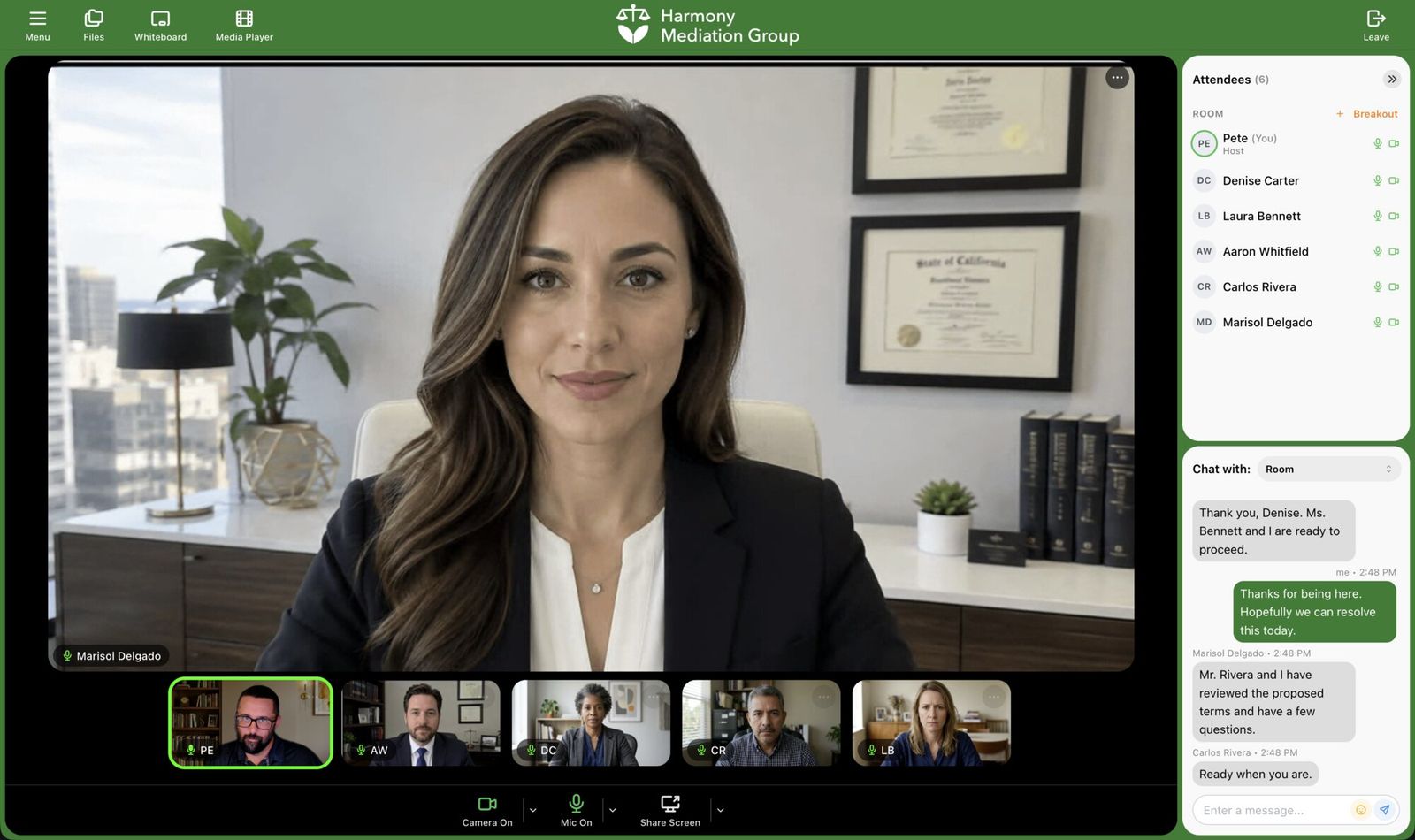
Most people meet you through a link. What happens in the next thirty seconds decides whether they arrive on time and what they think of you when they do. If the link opens a download page, an installer, and then an app with another company’s name on it, you have lost a little of both.
Browser-based video conferencing removes that step. The guest clicks the link, allows their camera and microphone, and they are in the meeting. For any business that is a real advantage. For a business that puts its own name on its meetings, it is the whole point, because a branded meeting only stays branded if guests never have to install someone else’s software to reach it.
What Browser-Based Video Conferencing Means
A browser-based platform runs inside the web browser people already have. The technology that makes this possible, WebRTC, is built into Chrome, Edge, Firefox, and Safari, so audio, video, and screen sharing work without plugins or apps.
MegaMeeting runs entirely in the browser, for hosts and guests alike. Guests join from recent versions of Chrome, Edge, Firefox, or Safari on a computer, and from Safari on iPhone and iPad or Chrome on Android. There is no app store download and no installer at any step. Learn more about browser-based video conferencing on MegaMeeting.
The Everyday Advantages of Meeting in the Browser
- More people arrive on time. There is nothing to download before the meeting, so nobody spends the first ten minutes fighting an installer or hunting for a password they set up once, years ago.
- Any device works. Windows, Mac, Chromebook, iPhone, iPad, or Android: if it has a current browser, it can join. Guests do not need a particular operating system or a company laptop.
- Nothing for IT to approve. There is no software to vet, no administrator rights to request, and no version to keep up to date. Browsers update themselves.
- Security is built in. In MegaMeeting, all audio and video is encrypted with DTLS-SRTP through WebRTC, and all signaling travels over TLS. You can also require a waiting room or a one-time code before anyone gets in. See MegaMeeting security for the details.
- Nothing is missing. Screen sharing, files, a whiteboard, a media player, chat, breakout rooms, recording, and webinars all run in the same browser tab.
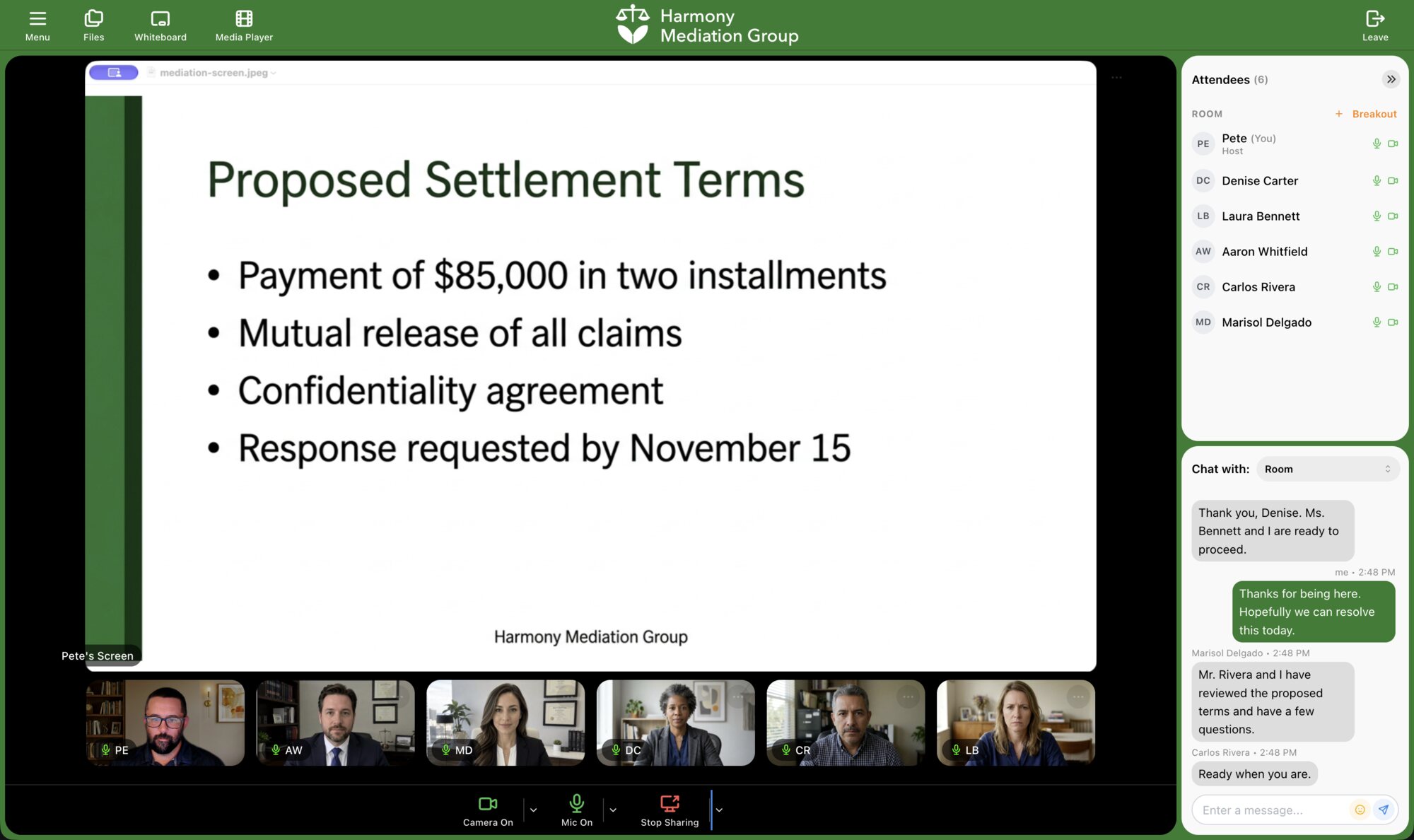
For guests who only meet you now and then, such as clients, patients, or customers, this matters most. They have no reason to keep your software installed, and every extra step is a chance for them to give up. Our page on video calls with no download covers the guest side in more detail.
Why White Label Only Works in the Browser
White label video conferencing means your clients see your brand, not your provider’s. Most platforms can put a logo in the meeting room. The harder question is what your guest sees on the way there.
If a guest has to install an app, the first things they see are the provider’s download page, the provider’s installer, and the provider’s icon in their dock or on their home screen. Your brand disappears at the exact moment you are making a first impression, and the guest ends up with another company’s software on their device.
In the browser, every screen between the invitation and the meeting can be yours. A branded room inside someone else’s app is still someone else’s app. A branded room at your own web address is simply your meeting.
What a Fully Branded Browser Experience Looks Like
Follow a guest from invitation to meeting, and here is what MegaMeeting lets you brand at each step.
The invitation. Invitations and webinar reminders carry your company name, logo, and theme color. With your own domain set up, they come from your own email address, such as invite@yourcompany.com, and email providers can confirm they really come from you, so they are delivered rather than marked as spam.
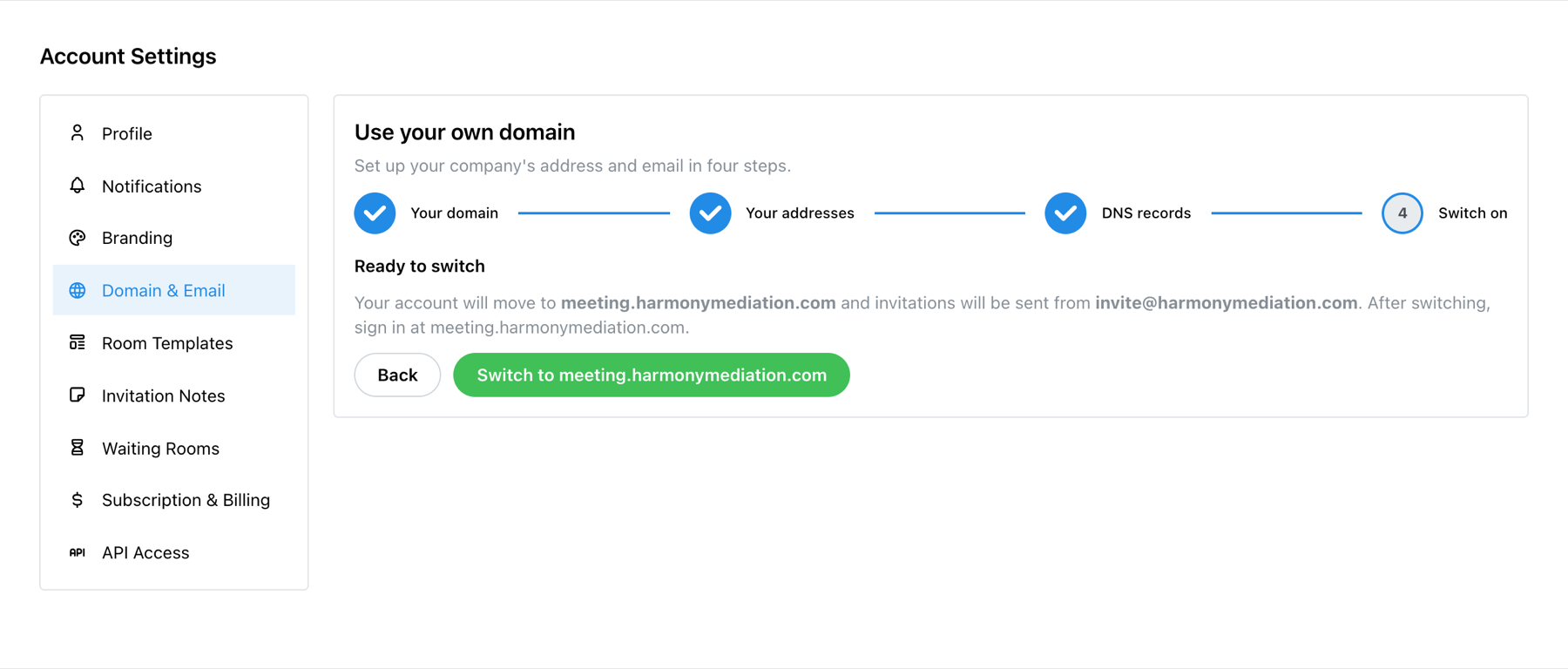
The link and the browser tab. Your account can live at your own web address, such as meeting.yourcompany.com, with your icon in the browser tab. From the very first screen, the guest sees your address and your branding. Setting it up takes four short steps in MegaMeeting and four DNS records at your domain provider; our guide to using your own domain and sender email walks through it.
The waiting room. Instead of a generic holding screen, guests can see your own welcome: a heading and message, the scheduled start time in their own time zone, your background, and a playlist of up to ten videos. Uploaded MP4 videos play with nothing around them but your content. If someone is waiting and no host is there yet, MegaMeeting can alert you by email or text. See how to set up waiting rooms.
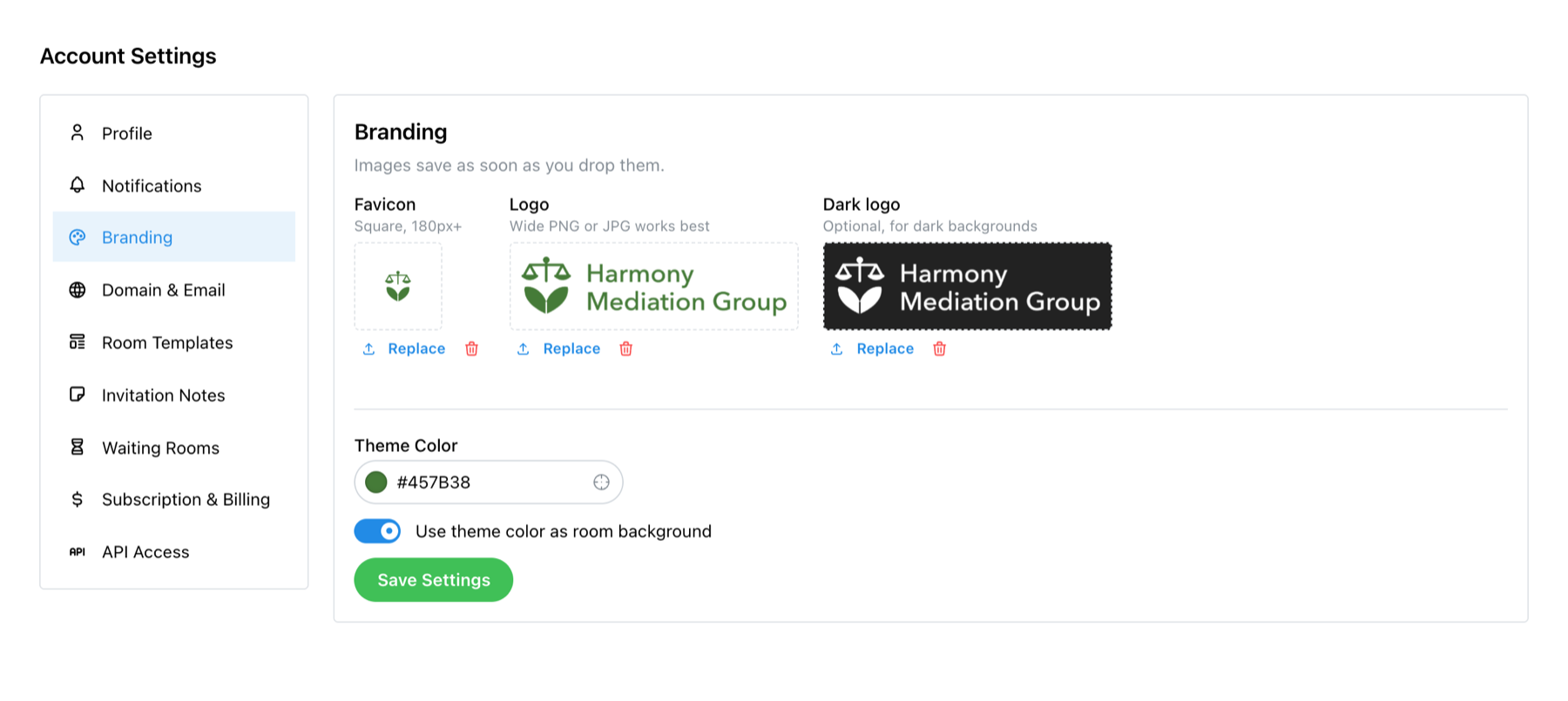
The meeting room. Your logo sits in the header, and your theme color can paint the whole room frame. Your dashboard carries the same branding when you sign in. Our guide to setting up your branding covers logos, dark logos, the browser icon, and colors.
Your webinars. Webinar registration pages show your logo and color, and branded webinars reach up to 500 people on the Enterprise plan, all watching in the browser.
One Platform, Many Brands
Because the brand lives in the account rather than in an app, one platform can carry many brands at once. A mediation firm and a family medicine practice can both run on MegaMeeting, and neither one’s clients will ever see the other’s name.
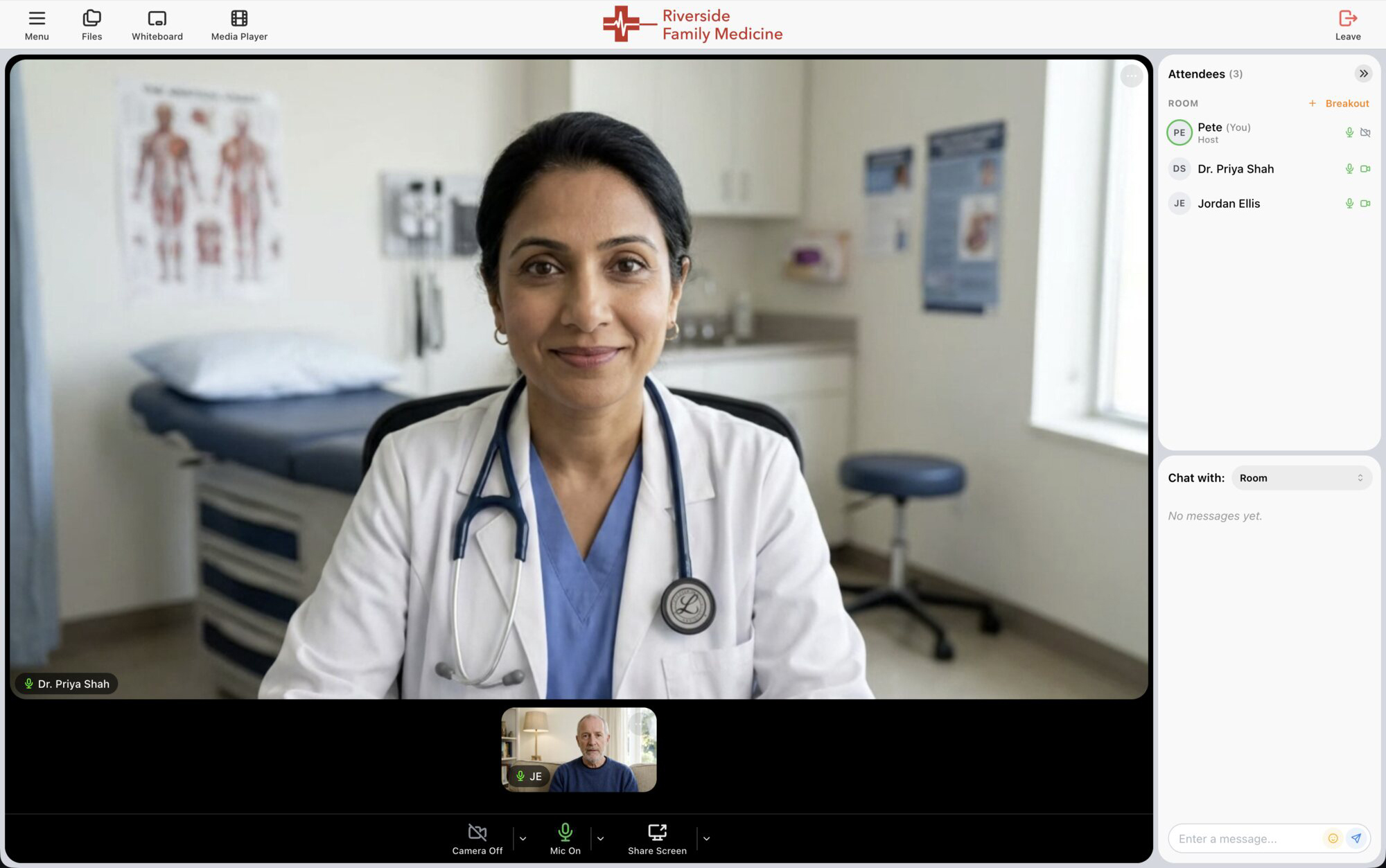
That is what makes browser-based white label practical for resellers and software companies too. MegaMeeting’s Platform plan manages unlimited branded accounts from one portal, and our video conferencing reseller program explains how partners use it. Developers can create rooms with a REST API and place a room inside their own site or app with an iframe, as long as the site allows embedding. See the video call API for websites.
Questions to Ask Any Video Conferencing Provider
If branding matters to you, these questions separate a logo in the corner from a meeting that is truly yours:
- Can guests join from a link on any device, with nothing to install?
- Does the meeting run at my own web address?
- Do invitations come from my own email domain?
- Is my brand on the browser tab, the waiting room, and the registration pages, not just inside the room?
- Can I show my own content while guests wait?
- Can I create rooms from my own software and embed them in my site?
Frequently Asked Questions
Do guests need to download anything to join a MegaMeeting meeting?
No. Guests click the link and join in their browser. There is no app, plugin, or installer, on a computer or on a phone.
Which browsers work?
Recent versions of Chrome, Edge, Firefox, and Safari on computers, Safari on iPhone and iPad, and Chrome on Android phones and tablets.
Is browser-based video conferencing secure?
It can be. MegaMeeting encrypts all audio and video with DTLS-SRTP through WebRTC, secures signaling with TLS, is hosted on Amazon Web Services, and is HIPAA-ready.
What does white label video conferencing mean?
It means the meetings carry your brand instead of the provider’s: your logo, colors, web address, and invitation email.
Which MegaMeeting plans include white label?
Private branding and your own domain are part of the Enterprise plan, at $99 a month billed annually, and the Platform plan, which is priced for each business. See MegaMeeting pricing for everything each plan includes.
MegaMeeting gives you browser-based meetings and webinars under your own name, from the invitation to the goodbye. See what white label video conferencing includes, or contact our team to see it with your own brand.